
Why traditional travel planning is a one-way ticket to operational chaos, and how a structured AI prompt locks down your logistics.
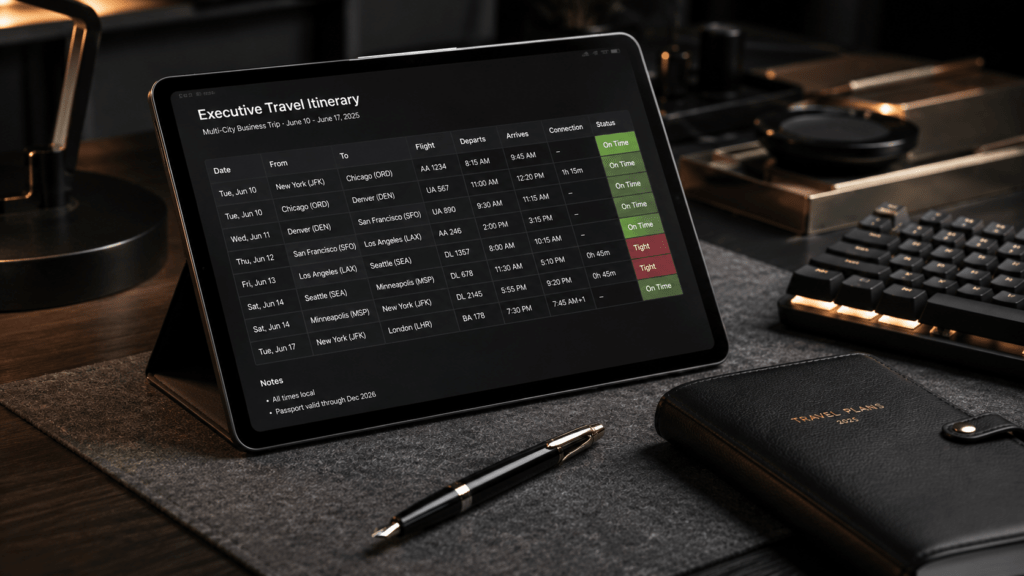
If your current travel manifest is held together by hope and sticky notes, you are borrowing trouble.
We have all been there. You have a multi-city tour, three client meetings in three different time zones, and a connection that requires a sprint across O’Hare. You copy flights into a blank document, paste hotel confirmations into an email draft, and pray the travel gods don’t strike you down with a delay.
But why are we still planning high-stakes logistics like it is 1995?
When you treat travel planning as a manual guessing game, you invite human error to dinner. Every extra city you add to an itinerary is not just another stop—it is a new point of failure.
The Leaky Pipe Analogy
Think of your multi-city itinerary like a home plumbing system.
If you have a single pipe running from the water main to your kitchen sink, the water flows straight and true. But what happens when you try to split that pipe to feed a dishwasher, an ice maker, a backyard hose, and a second-floor bathroom using nothing but duct tape and rubber bands?
The pressure drops, joints begin to sag, and eventually, a leak springs.
A complex travel route is no different. Every flight connection, ground transfer, and hotel check-in is a joint in your pipe. If you do not engineer those connections with absolute precision, the whole system loses pressure.
To build a bulletproof itinerary, you need to stop acting like an amateur plumber. You need a structural framework that treats logistics as data.
Google Tools: Your Digital Switchboard
Before we write a single word of our AI prompt, we must organize our raw materials. I always recommend keeping your stack simple and utilizing Google tools.
First, dump your raw confirmations, flight numbers, and dates into Google Sheets. Think of this spreadsheet as your master database.
Second, save your PDFs and receipts in a dedicated folder in Google Drive with a clean, standardized naming convention (e.g., YYYY-MM-DD_City_Flight_Details).
Once your data is sitting quietly in one place, we can use Google AI Studio, or the AI of your choice, to turn that raw data into a flawless, living travel manifest.
The 5-Part Prompt Framework
Most people get generic, messy itineraries from AI because they ask sloppy questions. They write a prompt like: “Help me plan a trip to Chicago, Denver, and Seattle next month.”
That won’t hold water.
To get professional-grade logistics, we use the 5-part framework from the Fix My Prompt PRO Guide:
- Role: Define who the AI is.
- Task: State the exact execution step.
- Context: Provide the raw data constraints.
- Format: Choose how the final output should look.
- Constraints: Put guardrails up to prevent errors.
Here is how we turn a chaotic, multi-city travel puzzle into an error-free manifest.
The “Weak” Prompt (The Failure Point)
“Make me a travel schedule for my work trip to Seattle and Denver starting next Monday. I have a flight at 9 AM and need to see two clients.”
The “Pro” Prompt (The Structural Solution)
ROLE: Senior Travel Logistics Architect and Executive Assistant.
TASK: Generate a chronological, error-free Multi-City Travel Manifest using the raw text pasted below from my Google Sheets database.
CONTEXT:
- Traveler: Executive VP.
- Trip Dates: May 18 – May 22, 2026.
- Destinations: Chicago (ORD), Denver (DEN), Seattle (SEA).
- Raw Schedule: [Paste Google Sheets Data Here].
FORMAT: Present the output as a Markdown table with the following columns: Date, Local Time (with Time Zone), Location, Action/Event, Confirmation #, and Buffer Time (minimum 90 minutes between events).
CONSTRAINTS: Highlight any connection window under 2 hours in bold red text. Do not suggest hotel check-ins that conflict with scheduled client meeting times. Keep descriptions brief and action-oriented.
Systems Over Luck
When you run a structured prompt like this, the AI stops guessing and starts engineering. It spots the time zone overlaps you missed. It calculates the realistic transit times from the airport to the hotel. It builds a system that works when the real world gets messy.
Are you ready to stop letting operational chaos run your business trips ragged?
If you want to master this system for every area of your business and lifestyle, you do not need to invent these prompts from scratch. I have already built the blueprint for you.
Grab the Fix My Prompt PRO Guide today. It is a complete, high-utility library of engineered prompts designed to save you hours of administrative headache for just $7.
Get the Blueprint – Fix My Prompts Pro ($7)
Stop guessing. Start engineering.