
How to turn your AI chatbot into a precise, serverless site mapper without writing a single line of code.
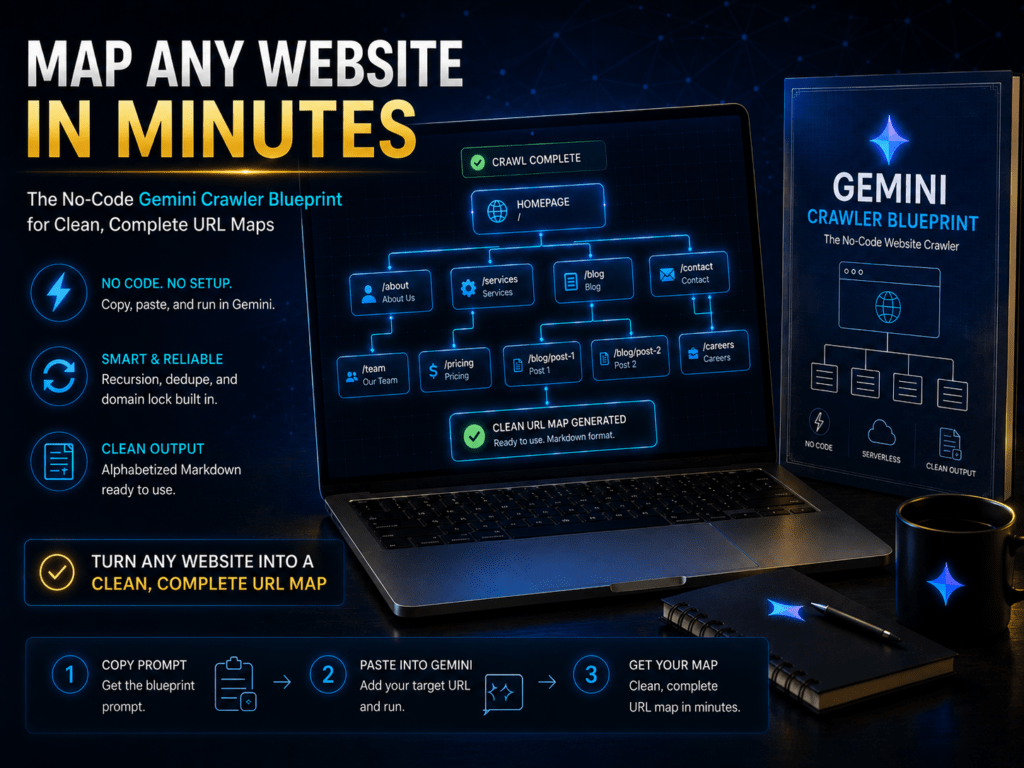
Ever tried to pull a clean, complete list of every internal page on a website?
Maybe you are prepping for a messy site migration. Maybe you are running a quick SEO audit, or just trying to figure out what content actually exists on a client’s old domain.
If you do it manually, you will lose your mind copying and pasting links. If you buy a massive enterprise SEO tool, you are paying a fortune for a simple job.
What is the alternative?
Usually, it means writing a custom Python script, messing with terminal commands, and hoping your dependencies do not break. But I found a way to bypass all of that.
Let me show you how to turn Gemini Pro into an on-demand, serverless crawler that maps any site for you in minutes.
The Problem with Dumb Bots
Most people use AI chatbots like a lazy research assistant. You throw a URL at it and ask for a list of pages.
The chatbot skims the surface, grabs a handful of links, and calls it a day.
Think of a standard AI prompt like asking someone to skim a map from an airplane. They might spot a highway or a major river, but they miss the side streets.
What we actually need is an automated scout. We need a scout that walks down every single street, notes down every unique house, and updates its itinerary on the fly.
If you try to make a standard chatbot do this, you run into three massive walls:
- The “Black Box” Blindspot: Standard automated crawlers run in the background and hand you a messy spreadsheet. You have no idea how they got there, which pages failed, or what logic they used.
- The State-Management Trap: Standard LLMs lose their place. Ask a normal chatbot to loop through a changing list of links, and it quickly gets context amnesia. It starts repeating itself or just gives up halfway.
- The Messy Duplicate Nightmare: Scraping raw HTML leaves you with relative links (/docs), tracking tokens, and duplicate URLs. It is a chaotic soup.
We need a smarter system.
The “Glass Box” Solution
To solve this, we do not write code on our local machines. Instead, we use Gemini Pro’s internal Python sandbox as our execution environment.
This gives us a “Glass Box” crawler. You watch the AI build its queue, run its loops, and output clean data in real time.
Here is why this approach works so well:
- Zero Setup: You do not need to open a terminal, manage virtual environments, or run pip install beautifulsoup4. The AI handles the entire environment.
- Absolute Accuracy: By letting the AI run deterministic Python code inside its sandbox, we combine human-like intelligence with the mathematical certainty of a classic code loop.
- Smart Domain Locking: The crawler automatically ignores external links like Twitter, LinkedIn, or GitHub. It stays strictly inside the backyard of your target domain.
How the Scout Walks the Site
Let’s look under the hood. How does the AI actually run this crawl without losing its mind?
It boils down to a simple, five-step loop:
[Start URL] ➔ Add to Queue ➔ Grab Next Link ➔ Scan HTML ➔ Add New Links ➔ Repeat
- Step 1: Set the Anchor. The crawler takes your starting URL and marks it as the home base.
- Step 2: Build the Queue. It creates a dynamic list. This list is the crawler’s living, breathing itinerary.
- Step 3: The Scan. The AI grabs the first link in the queue, reads the page’s underlying HTML structure, and extracts every link it finds.
- Step 4: The Filter. It cleans the links. Relative links get converted to absolute URLs. Duplicates get thrown in the trash.
- Step 5: The Append. Any brand-new internal links get tacked onto the end of the queue.
The cycle repeats. The list grows dynamically, and the crawler walks through every single link until there are zero unvisited pages left.
When it finishes, you get a clean, alphabetized Markdown list of every page on the site.
Get the Blueprint
Why spend hours writing custom scrapers or paying for bloated software subscriptions?
You can drop this exact, battle-tested blueprint straight into your own Gemini setup right now. I have packaged the entire system—including the exact instructions and structural prompts—so you can start mapping sites instantly.